System Design
Management

Cross-team Collaboration
Project Date: 2018 - 2020 , München | Clients: Giant Automotive Enterprise
My Role: Project Management, Design System, UX, UI Design
Challenges
HMW deliver an implementable design file in a consistent brand design language?
Background
Due to the confidential reason, here only shows how I support clients to create an easy-to-track design system and collaborate with different stakeholders in an around 400 people team (including design, development, PO, Service owners, functional owners).
This 1,5 years project's goal is to develop a new app interacting with the vehicle(s). We have around 40 designers, located in 3 continents with 10 hours time difference. As the team leader from my 10 people team, my role covers project management, Design System, UX, UI Design as well as arranging monthly Usability test.

SYNC

SYSTEM

ACCESSIBILITY

ITERATION

Sync

Daily & Weekly
Real-time sync different topics in time by blocking the daily and weekly.


Table of Content
Use number tracking in the JIRA and Confluence.
Team knowledge sharing is one of the most challengings topics among 400 people. In order to provide an easy handover and understandable knowledge. Besides frequent dailies, weeklies with different teams and stakeholders, I propose to use numbers tracking every single widget in JIRA and Confluence. The widget can show or hide due to the personalization of the App in the future. So far it is running quite well, we can call out a specific topic with the number during the remote meeting.
Design is far ahead of the development. To show the remote development team a clear picture, all the development-ready widgets are called the "Current". Future functions are listed under "Vision". Relevant design processes are documented under the "Background" page. We tested with new joiners, developer. This structure is clear and self-explanatory.

System

Up-to-date Design Library
GitHub Atomic Design Library, consistency of Molecules
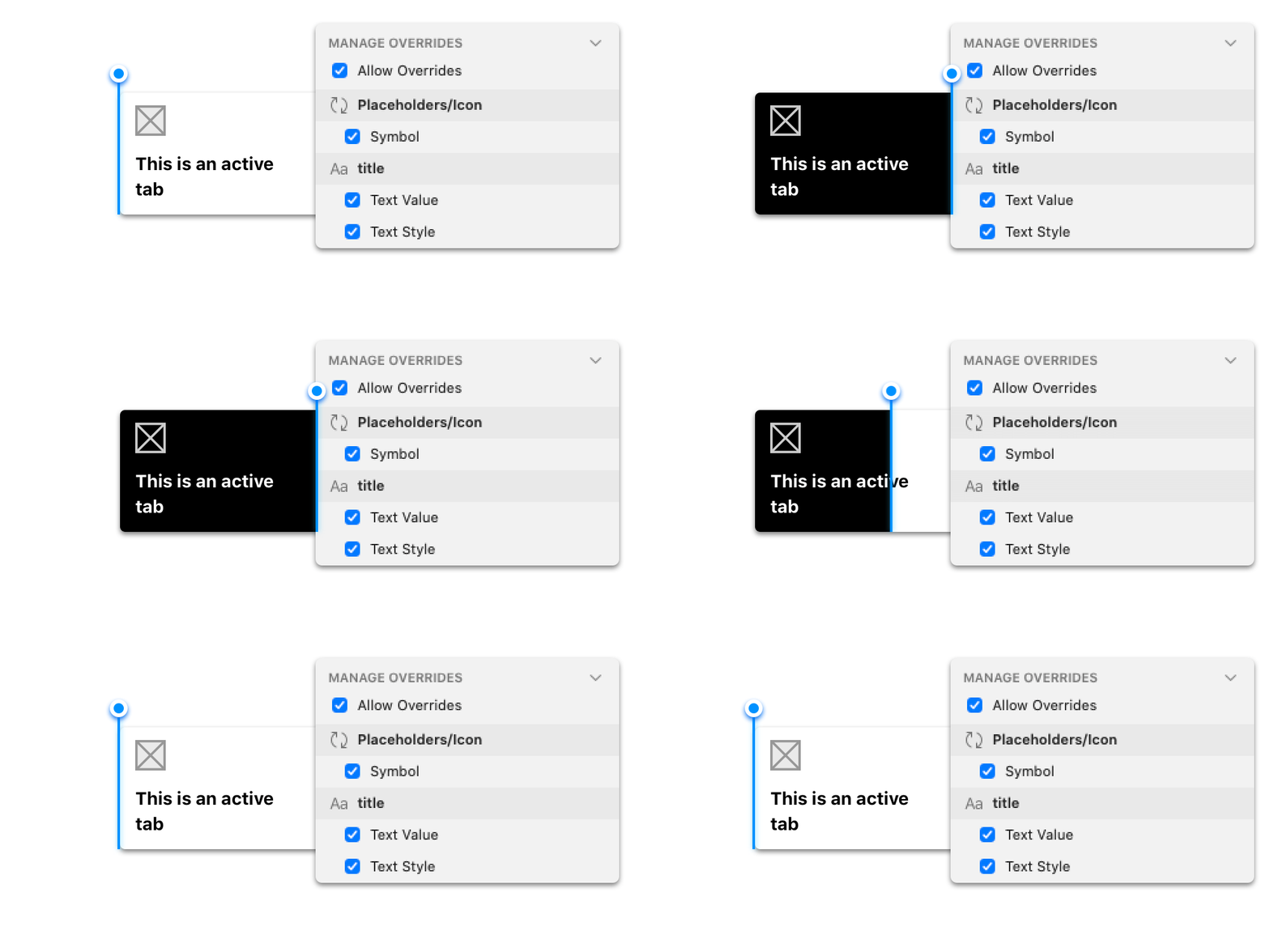
When the project starts, there is no design system. Each designer is designing their own widget. I found out this issue in the early stage and raise it up during the alignment meeting.
The UI pattern is in charge of the UI department from the client-side. In the early stage, I collected proposed and request UI widgets from the team and sync with the UI library team every week to ensure all the new widgets are using the same style and use properly.
With the time pass by, we start using Camilo to switch UX theme to UI theming and share the Design file via Abstract with the development team.

Intuitive Deliverables
Information Architecture, Logic Diagram, Widget Matrix, UX flow, Copy...
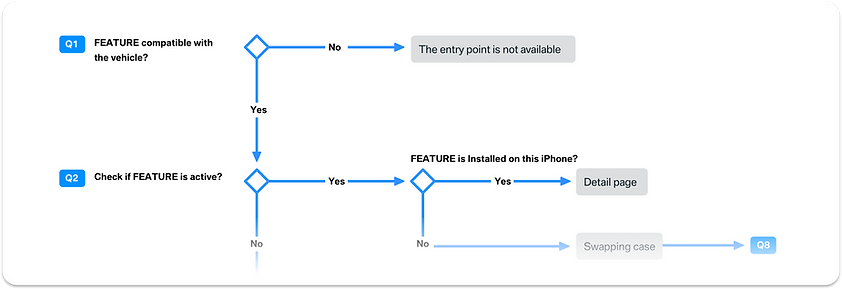
Logic Diagram Sample
This giant App has to assist all types of cars, some were built decades ago. During the design, the request is considering all the edge cases of every single module. Besides document the UX flow in a constructal way, I propose to have a logic diagram for each widget. This helps to provide an overview of each widget for all the participants. PO, functional owners all agree this is an intuitive way to document.

Accessibility

Awake Awareness
Coaching the team to have the accessibility awareness from begining


Accessibility Check List
Use WCAG (Web Content Accessibility Guidelines) as a reference guideline
More and more companies like Microsoft, Google put effort into integrating accessibility topics in the early design phase. Accessibility is still a quite new topic in German enterprise. Together with our accessibility expert, we integrate accessibility tickets into JIRA system and present guidelines, show how to check the accessibility issues in design during the meeting.
Our clients and other teams starting using our guidelines to review their design to provide a better scalable product to the whole world.

Iteration

Continuous Improvement
Pair design, Usability test, Rainbow Chart, Synthesis, Design review


Tech Review
Sync with dev in the pre-planing phase to make sure the technical feasibility.
User-centric design is my pursue. Besides the frequent informal usability test, pair design, I supported recruiting the premium car owners, align with different teams for testing topics, arrange prototyping, venue and observation room every month. After the usability test, we use the rainbow chart, affinity diagram to synthesis the user findings and tracking the usability improvement with JIRA ticket in the following sprints.
Before the development team starts planing, I had several sync meetings with them. Therefore both sides understand the situation much better. Design is modified based on the new technical input.
As the result, one of the core features, digital key, is launched together with Apple WWDC 2020. The clients appreciate our team collaboration and the iteration improvement I proposed along with the project.